

-
-
Yeaster PBX System
Yeastar S20 VoIP PBX
Yeastar S20 VOIP PBX Phone System.
KSh 28,000 Excl. VAT
Features:
- User Capacity: Supports up to 20 users and 10 concurrent calls.
- VoIP Compatibility: The Yeastar S20 is compatible with a wide range of VoIP phones and SIP trunks.
- Advanced Features: The system supports advanced features such as auto attendant, call recording, call forwarding, call transfer, voicemail, and more.
- Easy Configuration: The system can be configured and managed through a web-based interface, which makes it easy to set up and customize according to your business needs.
- Hardware: The Yeastar S20 comes with two FXS ports and two FXO ports, as well as support for up to four SIP trunks. It also has a built-in firewall to protect against unauthorized access and hacking attempts.
- Integration: The system supports integration with various third-party applications, including CRM software, IP cameras, and more.
- Music on Hold: The Yeastar S20 has a built-in music on hold system that can play music or pre-recorded messages while callers are on hold.
- Call Routing: The system supports call routing based on time conditions, caller ID, and more.
SKU: n/a


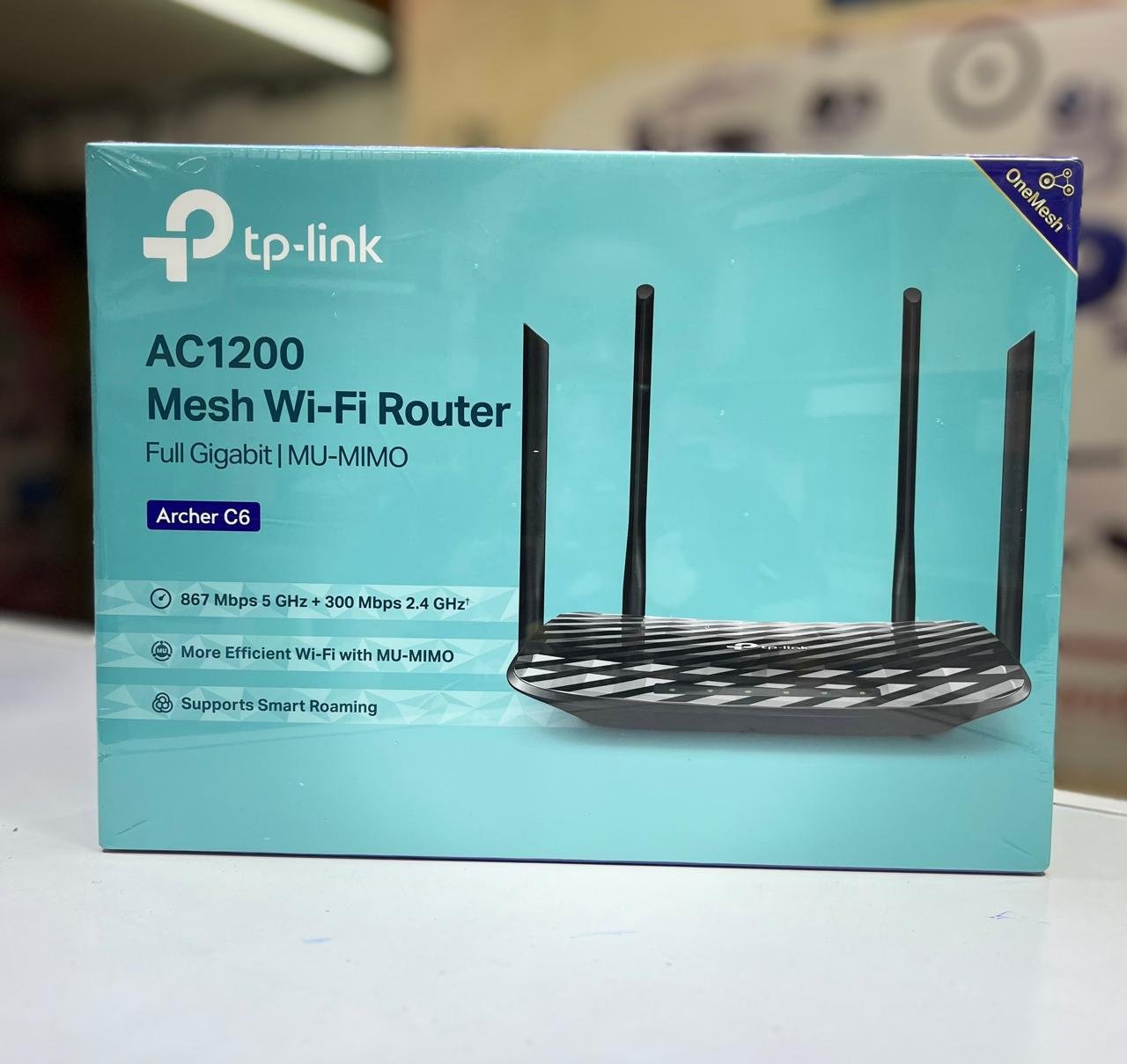
Unlock Seamless Connectivity with the TP-Link AC1200 Mesh Wi-Fi Router
In today’s fast-paced digital world, having a reliable and robust internet connection is no longer a luxury—it’s a necessity. Whether you’re streaming high-definition videos, attending virtual meetings, or simply browsing the web, a seamless internet experience is vital. That’s where the TP-Link AC1200 Mesh Wi-Fi Router comes into play. Offering unparalleled performance and coverage, this router is an ideal choice for homes and small businesses. At Imari Technologies, we understand the need for dependable internet solutions, which is why we’re proud to offer the TP-Link Router to our customers.
Understanding the Importance of a Good Wi-Fi Router
Before delving into the features of the TP-Link AC1200 Mesh Wi-Fi Router, it’s crucial to understand why choosing the right router matters. A Wi-Fi router serves as the backbone of your internet connection, distributing bandwidth from your internet service provider (ISP) to multiple devices. Poor router performance can lead to slow speeds, weak signals, and frustrating dead zones in your home or office.
What is a Mesh Wi-Fi System?
Mesh Wi-Fi systems are the latest advancement in wireless technology. Unlike traditional routers, which rely on a single point of transmission, mesh systems use multiple nodes to create a network of signals. These nodes communicate with each other to deliver fast, consistent internet coverage across every corner of your home or business. The TP-Link AC1200 Mesh Wi-Fi Router is a prime example of this cutting-edge technology.
Key Features of the TP-Link AC1200 Mesh Wi-Fi Router
1. Seamless Roaming
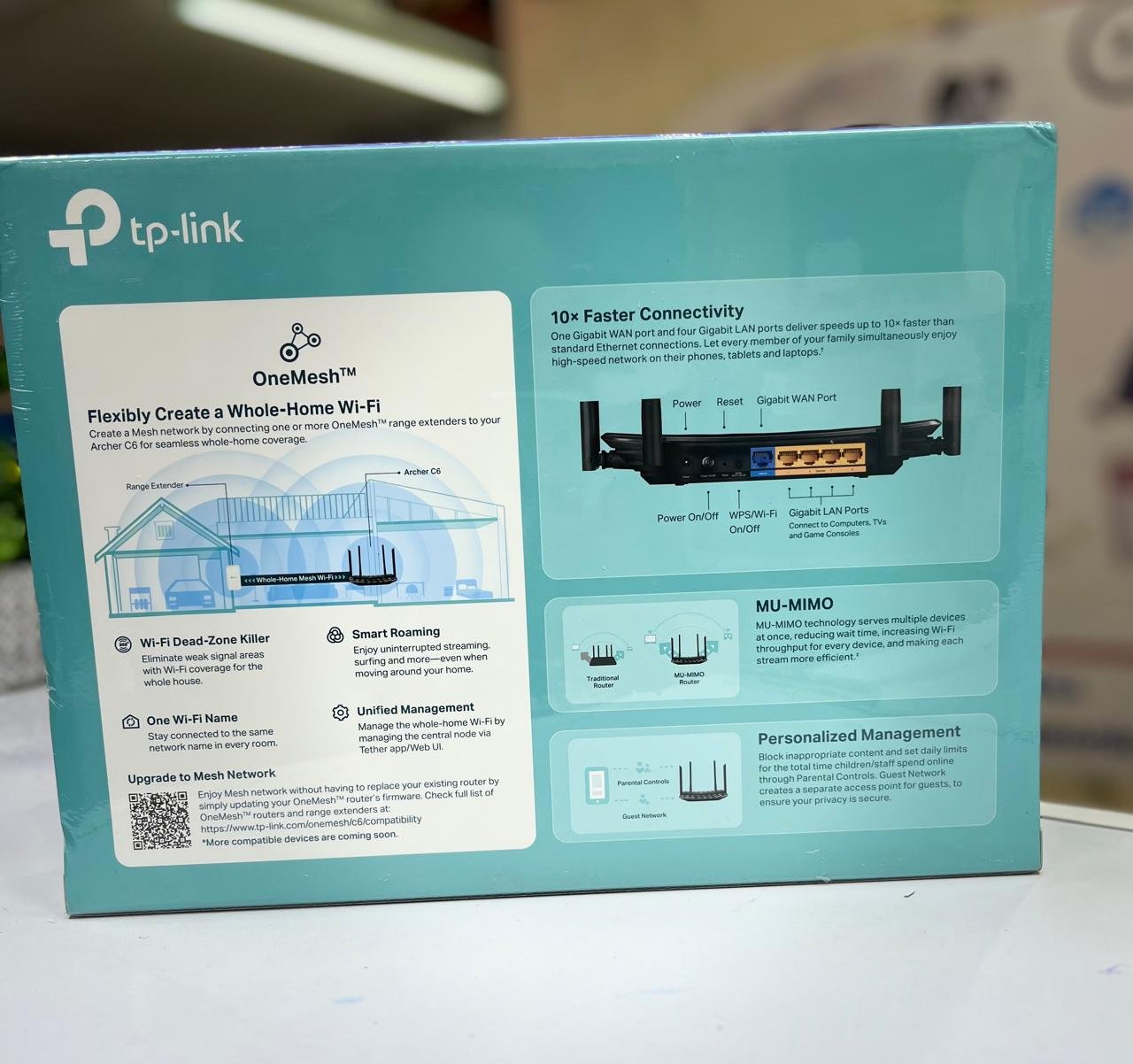
One of the standout features of the TP-Link AC1200 Mesh Wi-Fi Router is its seamless roaming capability. As you move from room to room, the router automatically switches you to the strongest Wi-Fi signal available without any interruption in your connection. This is particularly useful for homes with multiple floors or large spaces where a single router may not provide adequate coverage.
2. Dual-Band Technology
The TP-Link Router operates on both the 2.4GHz and 5GHz bands. The 2.4GHz band offers wider coverage, ideal for general internet usage like browsing and email, while the 5GHz band delivers faster speeds, perfect for gaming and streaming. The dual-band technology ensures that all your devices are connected to the optimal frequency, minimizing interference and maximizing performance.
3. Easy Setup and Management
Gone are the days of complicated router setups. The TP-Link AC1200 Mesh Wi-Fi Router can be set up in minutes using the TP-Link Tether app. The app provides a user-friendly interface for managing your network, including parental controls, guest networks, and more. Even if you’re not tech-savvy, you can easily configure your router to meet your needs.
4. Advanced Security Features
With the increasing number of cyber threats, security is a top priority. The TP-Link Mesh Router offers robust security features, including WPA3 encryption and a built-in firewall, to protect your network from unauthorized access. You can also create a separate guest network to keep your main network secure while still allowing visitors to connect to the internet.
5. Scalable and Flexible
Whether you’re looking to cover a small apartment or a large house, the TP-Link AC Mesh Router is scalable to fit your needs. You can start with a single router and expand your network by adding more nodes as needed. This flexibility ensures that your Wi-Fi network grows with you, providing reliable coverage no matter the size of your space.
Why Choose the TP-Link Router for Your Home or Business?
1. Unmatched Reliability
When it comes to Wi-Fi routers, reliability is key. The TP-Link AC1200 Mesh Wi-Fi Router is designed to deliver consistent performance, even in environments with multiple connected devices. Whether you’re streaming, gaming, or working from home, you can count on the TP-Link router to keep you connected without lag or interruptions.
2. Cost-Effective Solution
Many mesh Wi-Fi systems come with a hefty price tag, but the TP-Link AC1200 Mesh Wi-Fi Router offers a cost-effective solution without compromising on quality. At Imari Technologies, we believe in providing our customers with the best value for their money, which is why the TP-Link router is one of our top recommendations.
3. Ease of Use
The TP-Link Router is designed with the user in mind. Its intuitive setup process and user-friendly management app make it easy for anyone to configure and manage their network. Even if you’re not familiar with networking technology, the TP-Link router makes it simple to get up and running.
4. Exceptional Customer Support
When you purchase the Router from Imari Technologies, you’re not just getting a product—you’re getting access to exceptional customer support. Our team is here to help you with any questions or issues you may encounter, ensuring that you get the most out of your purchase.
How to Maximize the Performance of Your TP-Link AC1200 Mesh Wi-Fi Router
To get the best performance out of your TP-Link Router, it’s important to follow a few best practices:
1. Optimal Placement
The placement of your router plays a significant role in the strength of your Wi-Fi signal. For optimal coverage, place the router in a central location, away from walls and obstructions. If you’re using a mesh system, ensure that the nodes are evenly spaced throughout your home or business.
2. Regular Firmware Updates
Like any other piece of technology, your router’s firmware should be updated regularly to ensure it’s running the latest features and security patches. The TP-Link Tether app allows you to easily check for and install updates, keeping your network secure and up-to-date.
3. Manage Bandwidth
If you have multiple devices connected to your network, it’s important to manage your bandwidth to ensure smooth performance. The Router allows you to prioritize certain devices or activities, such as streaming or gaming, to prevent slowdowns during peak usage times.
The Verdict: Is the TP-Link AC1200 Mesh Wi-Fi Router Right for You?
If you’re in the market for a reliable, cost-effective, and easy-to-use Wi-Fi solution, the TP-Link Mesh Wi-Fi Router is an excellent choice. With its seamless roaming, dual-band technology, and advanced security features, it offers everything you need for a smooth internet experience. Whether you’re setting up a network for your home or small business, the TP-Link router provides the coverage and performance you need.
At Imari Technologies, we’re committed to helping our customers find the best technology solutions for their needs. The TP-Link AC1200 is a top-tier product that delivers on its promises, offering unbeatable value for money. Don’t let poor Wi-Fi hold you back—upgrade to the TP-Link router today and enjoy seamless connectivity like never before.
Conclusion
In conclusion, the TP-Link AC1200 Router is a standout product in the world of wireless networking. Its combination of advanced features, ease of use, and affordability make it a top choice for anyone looking to improve their internet experience. At Imari Technologies, we’re proud to offer this router to our customers, knowing that it will meet their needs for reliable, high-performance Wi-Fi.
If you’re ready to upgrade your home or business network, look no further than the TP-Link AC1200 Mesh Wi-Fi Router. Contact us today at Imari Technologies to learn more about how this router can enhance your connectivity and keep you connected, no matter where you are.
Technical Specifications
| Brand | Apple |
| Item Height | 18 Millimeters |
| Item Width | 31.4 Centimeters |
| Screen Size | 13 Inches |
| Item Weight | 1.6 Kg |
| Product Dimensions | 21.9 x 31.4 x 1.8 cm |
| Item model number | MF841HN/A |
| Processor Brand | Intel |
| Processor Type | Core i5 |
| Processor Speed | 2.9 GHz |
| RAM Size | 8 GB |
| Hard Drive Size | 512 GB |
| Hard Disk Technology | Solid State Drive |
| Graphics Coprocessor | Intel Integrated Graphics |
| Graphics Card Description | Integrated Graphics Card |
| Hardware Platform | Mac |
| Operating System | Mac OS |
| Average Battery Life (in hours) | 9 |
Based on 0 reviews
Be the first to review “TP-Link AC1200 Mesh Wi-Fi Router”
Related products
-
Routers
Mikrotik 960PGS-PB
Product Code: RB960PGS-PB
Architecture: MIPSBE
CPU: QCA9557, 800 MHz
CPU Cores: 1
RAM: 128 MB
Storage: 16 MB FLASH
License Level: 4
Dimensions: 125 x 52 x 225 mm
Operating System: RouterOS
Powering
Max Power Consumption: 9W
PoE Input: Passive PoE (12–57V)
PoE Output: Passive PoE, 802.3af/at (Ports 2–5)
DC Inputs: 2 (DC jack, PoE-IN)SKU: n/a -
Routers
Haplite Rb941n-2nd-tc
Key features for Mikrotik RB941-2nD-TC hAP Lite 32MB 4 X 10/100 2.4Ghz- RB941-2nD-TC
>Product code: RB941-2nD
>Architecture: SMIPS
>CPU: QCA9533
>CPU core count: 1
>>CPU nominal frequency: 650 MHz
>Switch chip model: QCA9533-BL3A
>RouterOS license: 4
>Operating System: RouterOS
>Size of RAM: 32 MB
>Storage size: 16 MB
>Storage type: FLASH
>MTBF: Approximately 100’000 hours at 25C
>Tested ambient temperature: -20°C to 60°CSKU: n/a -
Routers
Tplink mr3420 300mbps usb router
L-MR3420
TPLINK
3G/4G Wireless N Router.
key features:
- Compatible with LTE/HSPA+/HSUPA/HSDPA/UMTS/EVDO USB modems, tested in the field
- 3G/4G and WAN connection Backup guarantees an “Always-online” Internet connection
- Local wireless HD video sharing, with speeds up to 300Mbps
- Easy one-touch wireless security encryption with the WPS button
- Bandwidth control allows administrators to determine how much bandwidth is allotted to each PC
* 4G LTE Modems Compatibility apply to TL-MR3420 Version 2.0 and above.
SKU: n/a


There are no reviews yet.