

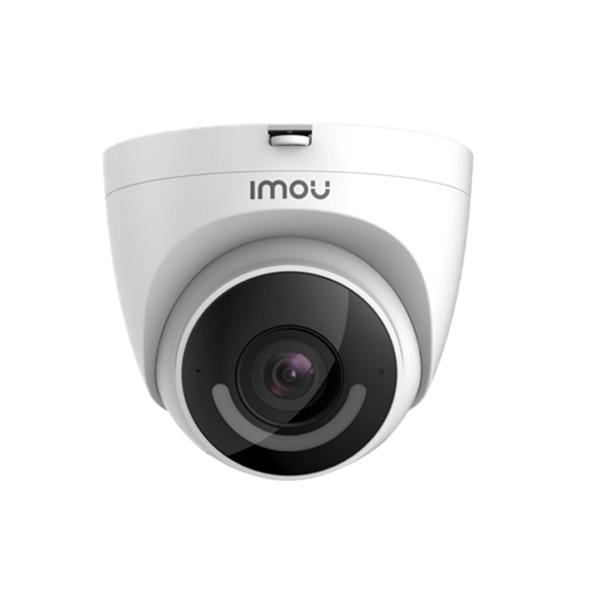
Protect Your Property with the Imou Camera IPC-T22EP: High-Quality Surveillance for Complete Peace of Mind
Looking for a reliable and advanced security solution to safeguard your home or business? The Imou Camera IPC-T22EP, available exclusively at Imari Technologies, is your answer. This high-quality surveillance camera is designed to provide comprehensive security coverage with cutting-edge features, ensuring that your property remains secure. In this detailed sales copy, we will explore the features, benefits, installation process, and maintenance tips for the Imou Camera IPC-T22EP, helping you understand why it is the perfect choice for your security needs.
Introduction to the Imou Camera IPC-T22EP
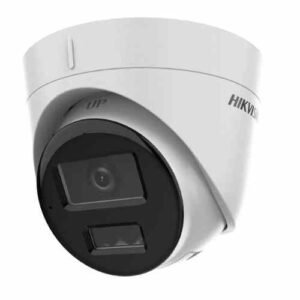
The Imou Camera IPC-T22EP is a state-of-the-art surveillance device that combines high-resolution imaging with smart technology to deliver exceptional security coverage. This camera is ideal for both indoor and outdoor use, providing clear and detailed footage in various lighting conditions. With its easy installation and user-friendly interface, the Imou Camera IPC-T22EP is suitable for both residential and commercial applications.
Key Features of the Imou Camera IPC-T22EP
1. 1080P Full HD Imaging: The Imou Camera IPC-T22EP captures clear and detailed images with its 1080P Full HD resolution, ensuring that every detail is visible.
2. Night Vision: Equipped with advanced night vision technology, the Imou Camera IPC-T22EP provides clear footage even in complete darkness, ensuring 24/7 surveillance.
3. Smart Motion Detection: The camera features intelligent motion detection, alerting you to any suspicious activity and reducing false alarms. You can customize the detection zones and sensitivity levels to suit your needs.
4. Weatherproof Design: With its IP67-rated weatherproof casing, the Imou Camera IPC-T22EP is designed to withstand harsh weather conditions, making it ideal for outdoor use.
5. Two-Way Audio: The built-in microphone and speaker allow for two-way communication, enabling you to interact with visitors or deter intruders remotely. This feature adds an extra layer of security and convenience.
6. Remote Access: The Imou app provides remote access to your camera’s live feed and recordings, allowing you to monitor your property from anywhere using your smartphone or tablet.
7. Easy Installation: The camera is designed for quick and easy installation, with a user-friendly setup process that requires no technical expertise. This makes it accessible to users of all technical levels.
8. Multiple Storage Options: The Imou Camera IPC-T22EP offers multiple storage options, including cloud storage, microSD card, and NVR (Network Video Recorder) compatibility. This ensures your footage is safely stored and easily accessible.
Benefits of Using the Imou Camera IPC-T22EP
1. Enhanced Security: The high-resolution imaging and smart features of the Imou Camera IPC-T22EP provide comprehensive security coverage, ensuring your property is well-protected.
2. 24/7 Monitoring: With its night vision capabilities and weatherproof design, the camera offers continuous surveillance, regardless of lighting or weather conditions.
3. Peace of Mind: The smart motion detection and remote access features allow you to stay informed and in control, providing peace of mind that your property is secure.
4. Versatile Applications: Suitable for both indoor and outdoor use, the Imou Camera IPC-T22EP is a versatile security solution for homes, offices, retail stores, and more.
5. Cost-Effective Solution: The camera’s advanced features and reliable performance offer excellent value for money, making it a cost-effective choice for your security needs.
6. User-Friendly Interface: The Imou app and easy installation process make the camera accessible to users of all technical levels, ensuring a hassle-free experience.
Applications of the Imou Camera IPC-T22EP
The Imou Camera IPC-T22EP is a versatile security solution suitable for a wide range of applications, including:
1. Home Security: Protect your home and loved ones with the camera’s advanced surveillance features, ensuring your property is secure at all times.
2. Business Security: Monitor your office, retail store, or warehouse with the Imou Camera IPC-T22EP, deterring theft and ensuring the safety of your assets and employees.
3. Outdoor Surveillance: The weatherproof design makes the camera ideal for monitoring outdoor areas such as driveways, gardens, and parking lots.
4. Remote Properties: Keep an eye on remote properties or vacation homes with the camera’s remote access feature, allowing you to monitor your property from anywhere.
5. Elderly and Child Care: Use the camera to check in on elderly family members or young children, ensuring their safety and well-being.
Setting Up and Installing the Imou Camera IPC-T22EP
Setting up the Imou Camera IPC-T22EP is a straightforward process. Follow these simple steps to get your camera up and running:
1. Unbox and Inspect: Unbox the camera and inspect it for any signs of damage. Ensure that all components, including the power adapter and mounting hardware, are included.
2. Choose a Suitable Location: Select a location for the camera that provides a clear view of the area you wish to monitor. Ensure the location is well-ventilated and protected from extreme weather conditions.
3. Mount the Camera: Use the provided mounting hardware to secure the camera in place. Ensure it is firmly attached to prevent any movement or tampering.
4. Connect the Power Adapter: Plug the power adapter into the camera and then into a power outlet. The camera’s LED indicator should light up, indicating that it is powered on.
5. Download the Imou App: Download the Imou app from the App Store or Google Play Store on your smartphone or tablet.
6. Add the Camera to the App: Open the Imou app and follow the on-screen instructions to add your camera. You may need to scan the QR code on the camera or enter its serial number.
7. Configure Settings: Use the app to configure the camera’s settings, including motion detection, recording schedules, and storage options.
8. Verify Connectivity: Ensure that the camera is connected to your Wi-Fi network and that you can access the live feed and recordings through the app.
Maintaining the Imou Camera IPC-T22EP
To ensure that your Imou Camera IPC-T22EP continues to perform at its best, follow these maintenance tips:
1. Regular Inspections: Periodically inspect the camera and its connections for any signs of wear, damage, or tampering. Clean the lens to ensure clear image quality.
2. Firmware Updates: Check for firmware updates on the Imou app or website to ensure your camera has the latest features and security improvements.
3. Temperature Control: Keep the camera in a well-ventilated area and avoid exposing it to extreme temperatures, as this can affect its performance and longevity.
4. Secure Connection: Ensure that the power and network connections are secure and free of corrosion or damage.
5. Monitor Performance: Keep an eye on the camera’s performance and address any issues promptly to maintain optimal security coverage.
Troubleshooting Common Issues
While the Imou Camera IPC-T22EP is designed to be reliable and user-friendly, you may encounter some issues. Here’s how to troubleshoot common problems:
1. Camera Not Connecting to Wi-Fi:
– Ensure the camera is within range of your Wi-Fi network.
– Check that your Wi-Fi password is correct and that the network is functioning properly.
– Restart the camera and your Wi-Fi router.
2. Poor Image Quality:
– Clean the camera lens to remove any dirt or smudges.
– Adjust the camera’s angle and focus to improve image clarity.
– Check the lighting conditions and ensure there are no obstructions blocking the camera’s view.
3. Motion Detection Not Working:
– Ensure that motion detection is enabled in the camera’s settings.
– Adjust the sensitivity and detection area settings to reduce false alarms and improve accuracy.
– Verify that the camera’s firmware is up to date.
4. No Audio:
– Ensure that the microphone and speaker are enabled in the camera’s settings.
– Check the camera’s connections and ensure that the audio components are not damaged.
– Restart the camera and your device.
Why Buy from Imari Technologies?
When you purchase the Imou Camera IPC-T22EP from Imari Technologies, you are not just getting a high-quality product, but also exceptional customer service and support. Here’s why Imari Technologies is the best place to buy your Imou Camera IPC-T22EP:
1. Competitive Pricing: Imari Technologies offers the Imou Camera at competitive prices, ensuring you get the best value for your money.
2. Expert Support: Our team of experts is always available to assist you with any questions or issues you may have, ensuring a smooth and hassle-free experience.
3. Fast Shipping: We offer fast and reliable shipping options, so you can start enjoying your enhanced security solution as soon as possible.
4. Warranty and Returns: We stand by the quality of our products and offer comprehensive warranty and return policies to give you peace of mind with your purchase.
5. Customer Satisfaction: At Imari Technologies, customer satisfaction is our top priority. We strive to provide excellent service and support to ensure you are completely satisfied with your purchase.
Conclusion
The Imou Camera IPC-T22EP is the ultimate solution for enhancing your security with advanced surveillance technology. With its high-resolution imaging, smart motion detection, night vision capabilities, and weatherproof design, this camera provides comprehensive coverage for both indoor and outdoor applications. Available exclusively at Imari Technologies, the Imou Camera IPC-T22EP offers exceptional value,
Imou Camera T22EP Video Review
| Length | 60M, 120M, 150M |
|---|
Based on 0 reviews
Be the first to review “Imou Camera IPC-T22EP”
Related products
-
Camera
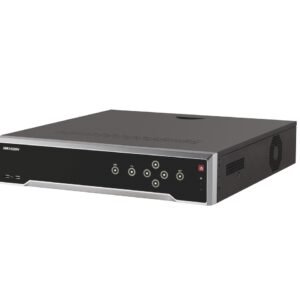
Hikvision DS-7732NI-K4-16P 32 Channel Network Video Recorder
Hikvision DS-7732NI-K4-16P 32 Channel NVR
KSH 50,000 EXCL OF VAT
Features:
Professional and Reliable
- Dual-OS design to ensure high reliability of system running
- ANR technology to enhance the storage reliability when the network is disconnected
HD Input
- H.265/ H.265+/H.264/ H.264+/MPEG4 video formats
- Connectable to the third-party network cameras
- Up to 32 IP cameras can be connected
- Recording at up to 8 MP resolution
- Supports live view, storage, and playback of the connected camera at up to 8 MP resolution
HD Output
- HDMI and VGA independent outputs provided
- HDMI Video output at up to 4K (3840 × 2160) resolution
HD Storage
- Up to 4 SATA interfaces connectable for recording and backup
- Storage space effectively saved by 50% to 70% with the use of H.264+ decoding format
HD Transmission
- 1 self-adaptive 10 M/100 M/1000 Mbps network interface
- 16 independent PoE network interfaces are provided
Various Applications
- Centralized management of IP cameras, including configuration, information import/export, real-time information display, two-way audio, upgrade, etc.
- Instant playback for assigned channel during multi-channel display mode
- Smart search for the selected area in the video; and smart playback to improve the playback efficiency
- Supports HDD quota and group modes; different capacity can be assigned to different channels
- Hik-Connect for easy network management
SKU: n/a -
Camera
HIKVISION 1080P IR TURRET (2.8MM) CCTV CAMERA
HIKVISION 1080P IR TURRET (2.8MM) CCTV CAMERA
KSH 2600 EXCL OF VAT
FEATURES:
Hikvision analogue 1080p Indoor IR Turret Camera.
DS-2CE56D0T-IRP HD1080P Indoor IR Turret Camera. 2 MP, 1920 × 1080 resolution. 2.8 mm, 3.6 mm, 6 mm fixed focal lens. Smart IR, up to 20 m IR distance.
2 Megapixel high-performance CMOS
• Analog HD output, up to 1080P resolution
• True Day/Night, Smart IR
• Up to 20m IR distance
• OSD menu
• Up the Coax(HIKVISION-C Protocol)
SKU: n/a -
Camera
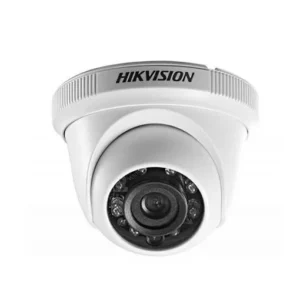
HIKVISION 2MP IP DOME CAMERA(2.8MM)
HIKVISION 2MP IP DOME CAMERA(2.8MM)
KSH 4500 EXCL OF VAT
- 2 Megapixel high resolution IP camera
- 2.8mm Fixed Lens
- Max 20m IR distance
The Hikvision 2MP IP 20M IR Dome Camera is a 2MP dome camera capable of recording in ultra-low light conditions with the help of EXIR 2.0 IR LEDs, the image is further improved with technology such as DNR and WDR. The weatherproof and vandal proof housing makes the Hikvision DS-2CD1123G0E-I suitable for a wide range of applications indoors and out. This camera also uses H.265 technology to dramatically reduce bandwidth and storage needs. Communication is via a single self-adaptive Ethernet port.
NAME Hikvision 2MP IP 20M IR Dome Camera SKU DS-2CD1123G0E-I BRAND Hikvision WEIGHT (KG) 1.0 VOLTAGE 12V DC CAMERA TYPE Dome CAMERA MEGAPIXELS 2 MP MAX RESOLUTION 1920 x 1080 CAMERA LENS 2.8 mm MAX FRAME RATE 30 fps INFRARED RANGE 20m CAMERA FEATURES Outdoor Rated, PoE, Vandal Resistant Features
- 1/2.8″ progressive scan CMOS
- Color: 0.01 Lux @(F1.2, AGC ON), 0.028Lux @ (F2.0, AGC ON)
- IR cut filter
- 3D DNR
- DWDR
- Pan: 0° to 355°, tilt: 0° to 70°, rotate: 0° to 355°
- Saturation, brightness, contrast, sharpness, AGC, white balance adjustable by client software or web browser
- IR Range Up to 30 m
- Focal length 2.8 mm, 4 mm
- Aperture F2.0
SKU: n/a
There are no reviews yet.